New agent: Company map analysis
Company maps like the one below are everywhere: VC reports, industry analyses, conference decks.
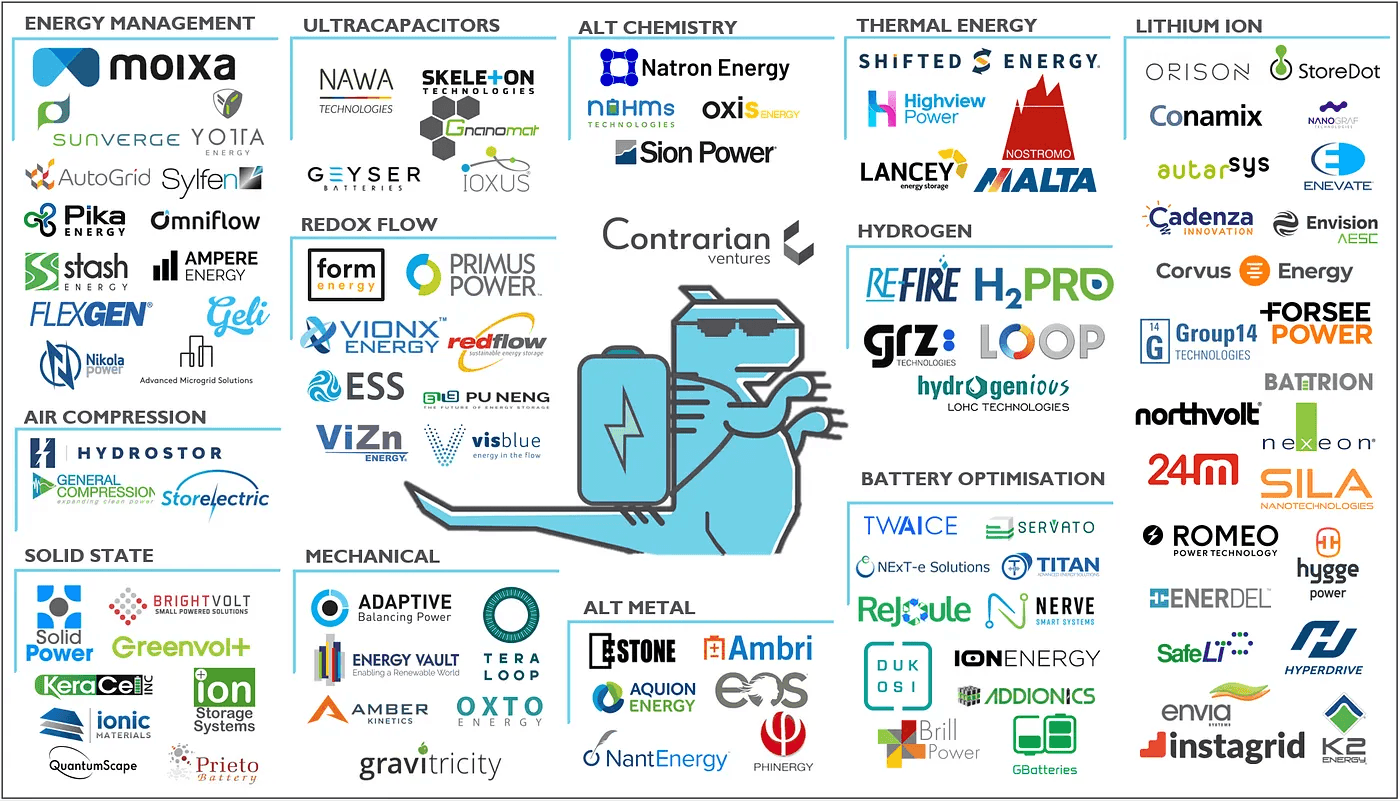
A map of energy storage companies, made by Contrarian Ventures.
A lot of effort goes into making maps like this. Analysts and VCs curate them to show how an ecosystem is structured: who the players are, how market segments relate to each other, and where clusters of innovation exist. They're often fascinating to browse.
But turning them into something practically useful is surprisingly hard. To actually work with this data, you'd have to:
- Find the homepage for every company
- Read what each company actually does
- Summarize everything into a spreadsheet
For a map like the one above with around 100 companies, this process can easily take you a full day.
And general-purpose AI assistants like ChatGPT or Claude can't reliably do this either. We tried. It took forever, and the results were full of errors: wrong websites, hallucinated descriptions, companies confused with similarly-named ones.
Building it into Spark
Because we really wanted this capability, "turn company logo map into information-rich spreadsheet", we decided to build it into Spark. Fortunately, most of the building blocks were already there:
- High-performance image analysis and OCR to extract company names from logos and text
- Smart company matching to find the right company (e.g., "EOS" in the map above is Eos Energy Enterprises, not the additive manufacturing company)
- Intelligent web content analysis to understand what a company does from its homepage (not just scrape more or less random content like the disclaimer or office directions)
- Persistent storage so you can always get back to your analyses later
- Proper Excel export with formatting (not just a CSV dump)
The result: Company map analysis
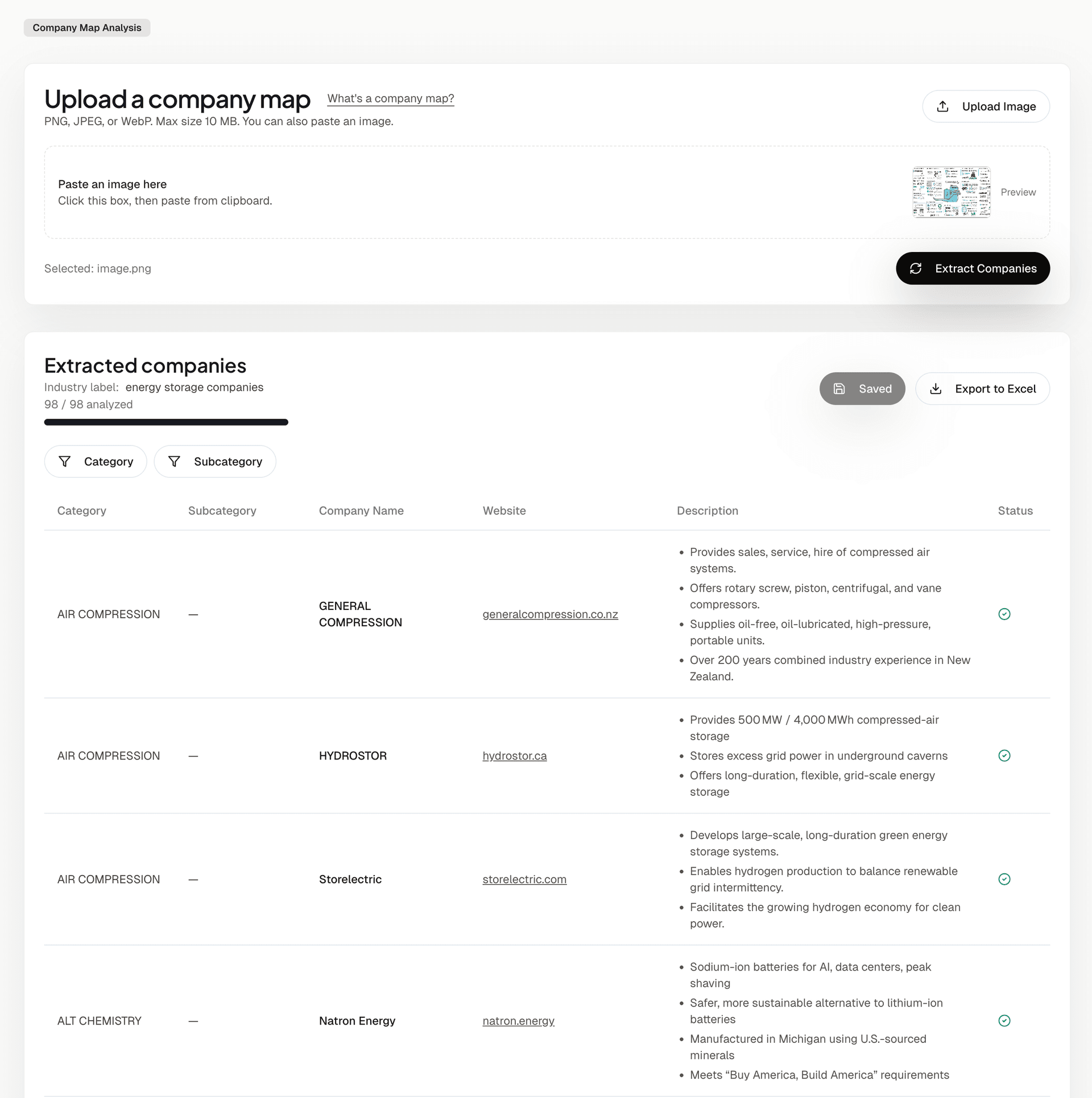
Here's how it works:
- Upload or paste a company map image (PNG, JPEG, or WebP, or just a screenshot)
- Click Extract Companies. Spark uses multimodal AI and OCR to identify every company in the image, organized by the categories shown on the map.
- Click Run Analysis. Spark enriches each company with its website and a brief description, processing companies in parallel so results stream in quickly.
- Export to Excel when you're done
The results are automatically saved under "My Data" → "Analyses", so you can always come back to them. And if the analysis is interrupted, or you pause it, you can resume right where you left off.
A day's work, done in minutes
Company maps are everywhere: in VC reports, industry analyses, conference presentations. They're great for getting a quick visual overview. But until now, extracting structured data from them was tedious manual work.
Now you can go from a company map image to a fully enriched spreadsheet in minutes, not hours.
Try Company Map Analysis →