Spark now helps you verify information
"Can I really trust what's in this report? Is anything out of date? And what about that claim someone brought up in a meeting, or the conclusion from that paper? How do I check any of it?"
The problem
To answer a question like this, you first have to extract the individual findings or claims from whatever source you're looking at. A report, a paper, meeting notes, even a chat message.
Then, for each finding, you need to search for evidence for or against it. And you need a strategy for how to even do this, which is not always straightforward.
For example, a claim like...
Data-center electricity demand growth in China and the Asia-Pacific region is expected to be more moderate than growth in the United States and Europe
...can't be verified by a simple search. You'd need to find regional demand forecasts, compare growth rates across geographies, and check whether recent developments have changed the picture.
So even if you'd only like to verify a short report with a handful of findings, this is a lot of work.
Spark automates this
For any artifact in a project (not just reports, but also chat answers, your own notes, or Spark agent results), Spark can now:
- Extract the findings from the artifact
- Verify each finding against external evidence
A finding is a claim or statement that an artifact makes. For example:
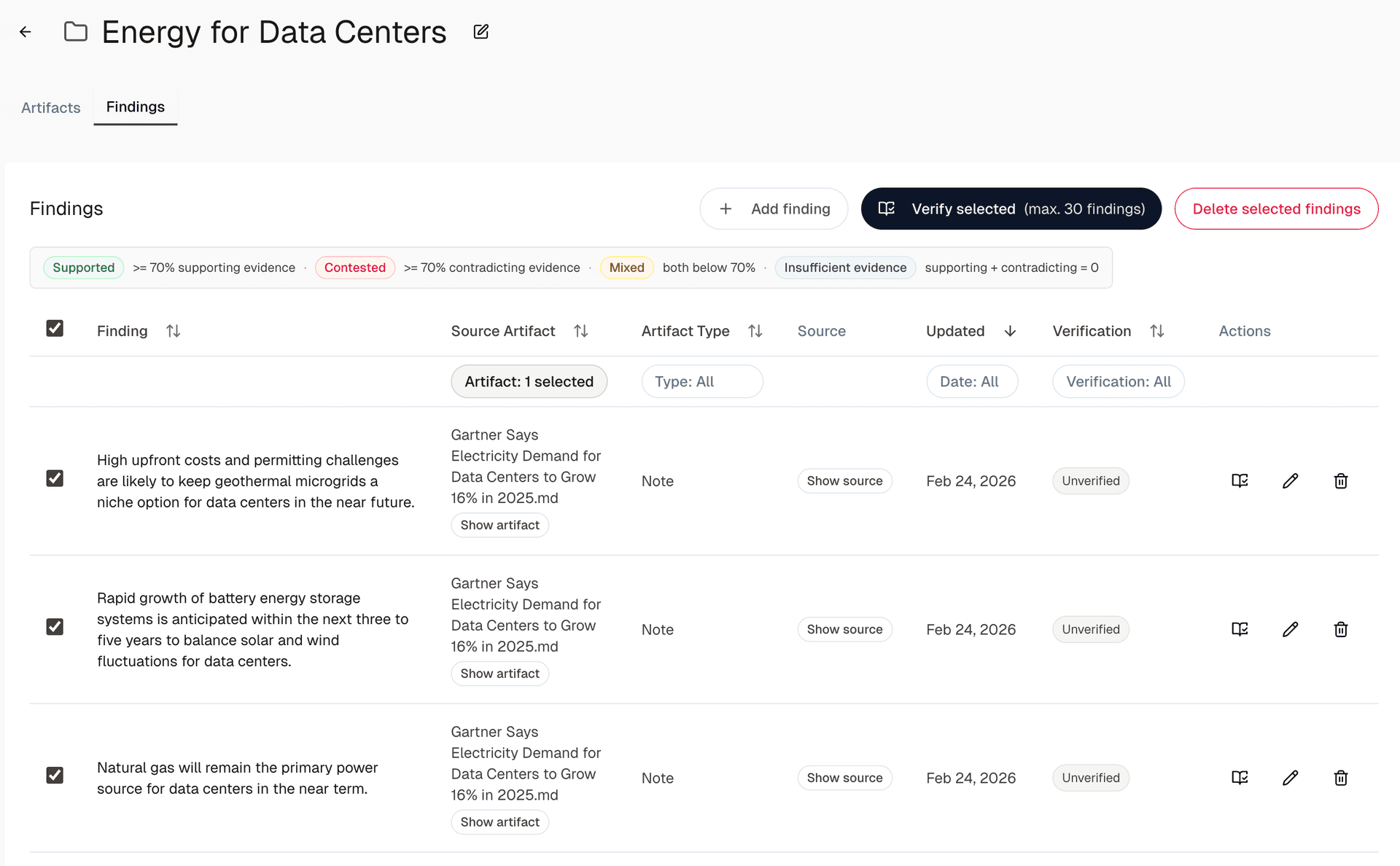
Rapid growth of battery energy storage systems is anticipated within the next three to five years to balance solar and wind fluctuations for data centers.
...or...
Natural gas will remain the primary power source for data centers in the near term.
First, have Spark extract findings from an artifact
For any artifact in a project, you can extract findings by clicking Extract findings:
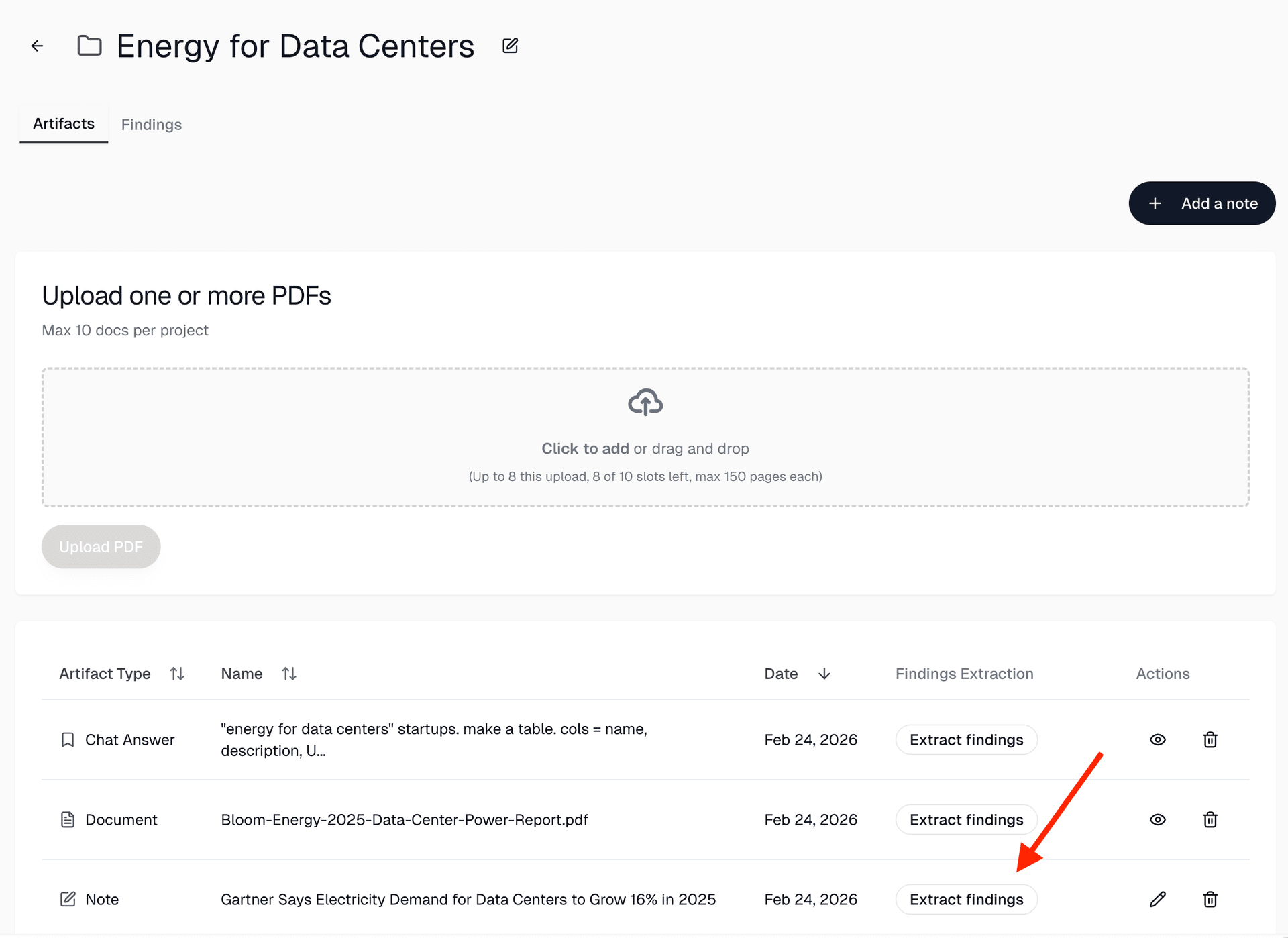
After extraction, the findings appear in the project's Findings tab:
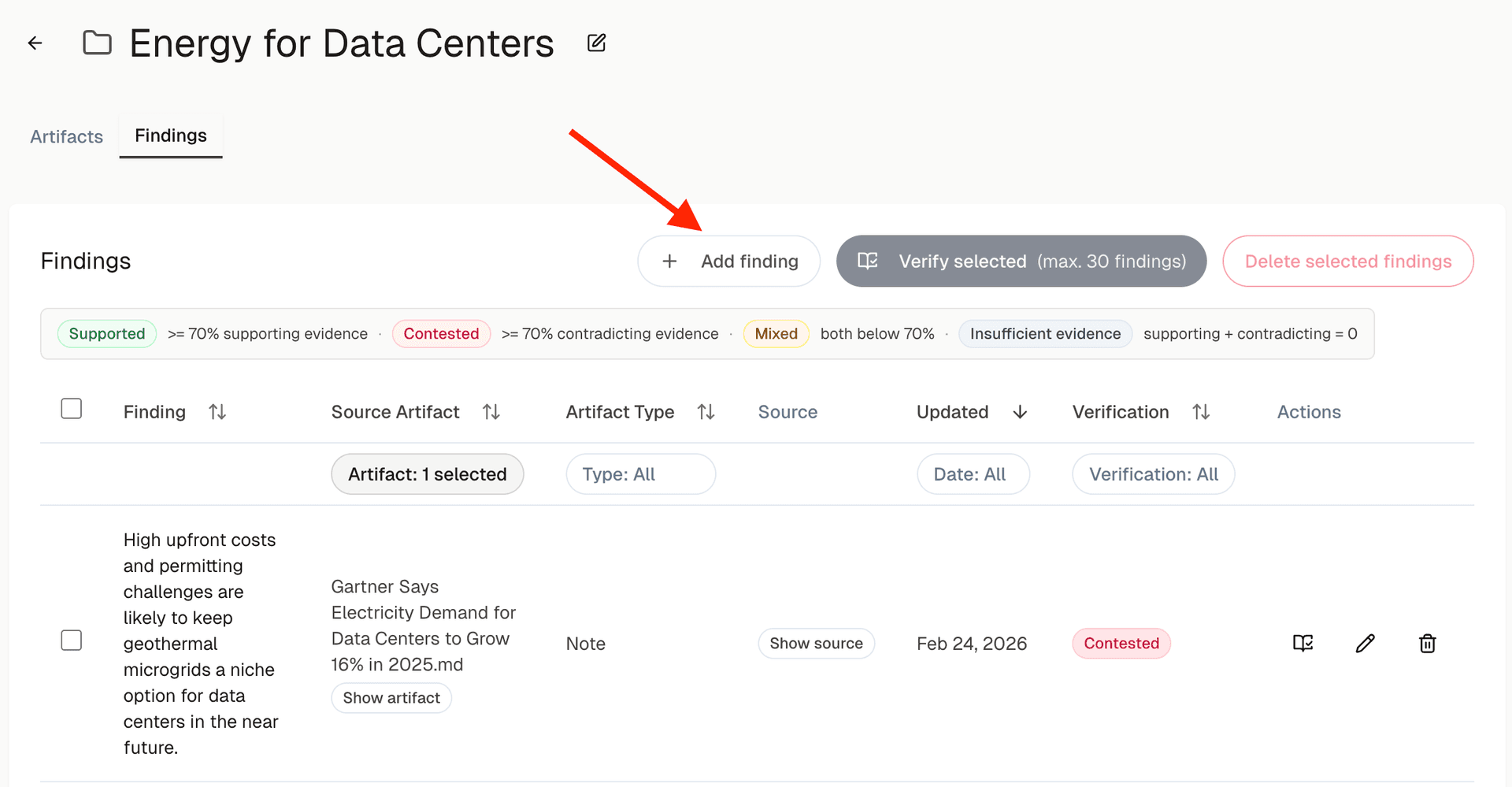
You can also add your own findings from other sources, e.g. a conversation or a meeting, via Add finding:
Then, let Spark verify the findings
You can verify individual findings by clicking the verify button...
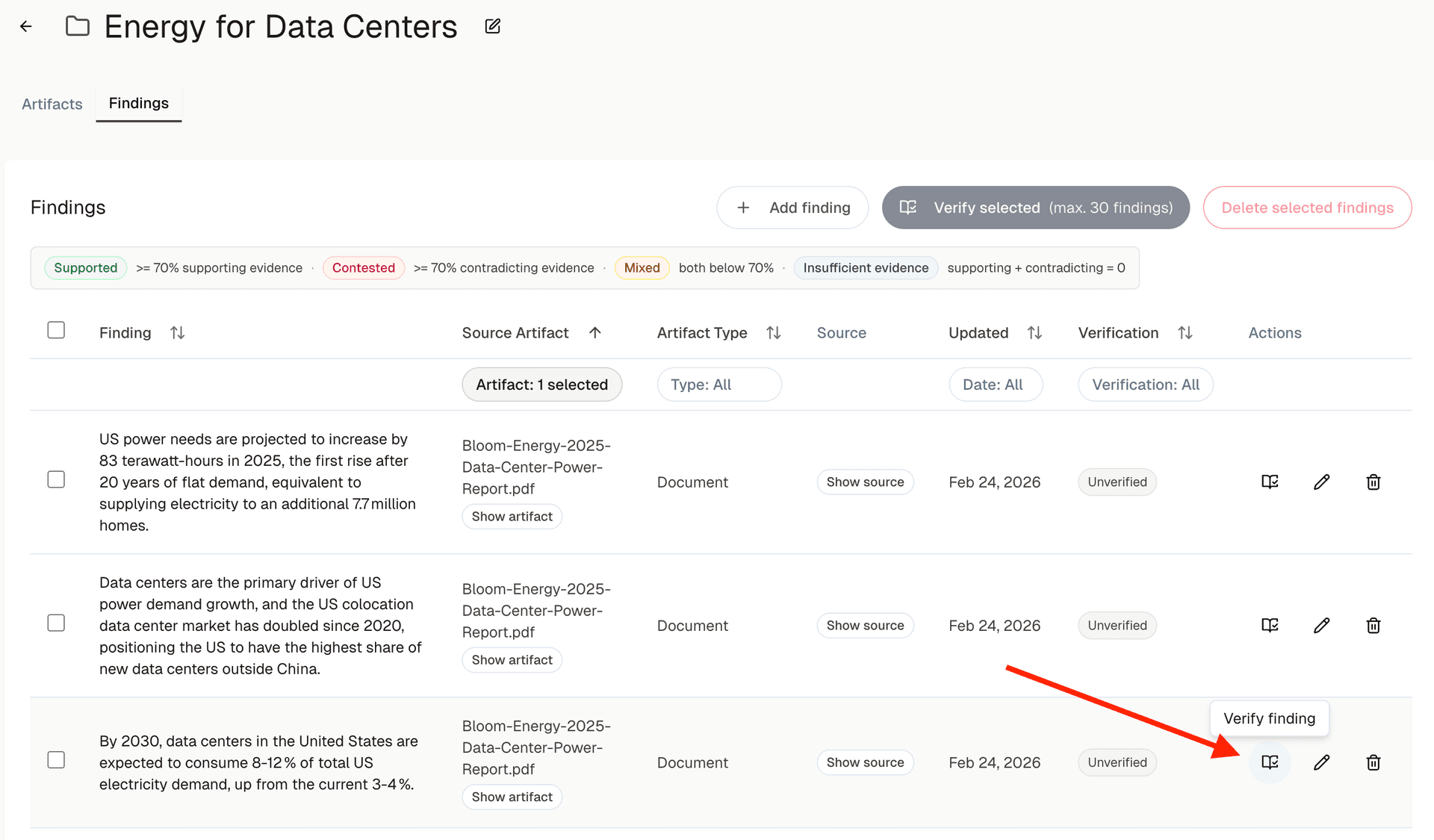
...or you can verify batches of up to 30 at once.
Once complete, the findings table shows the verification status of each finding:
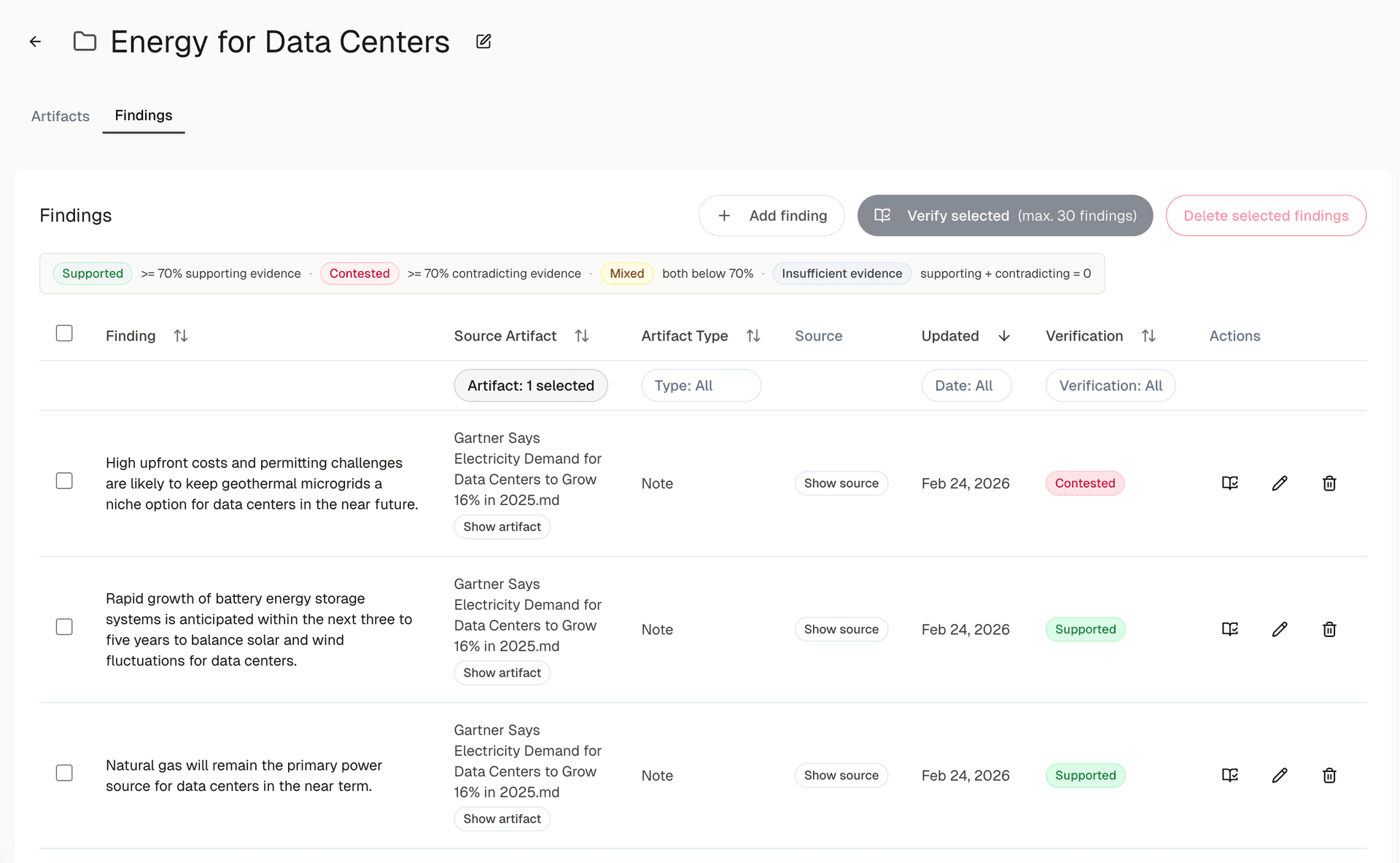
The verification categories:
- Supported: at least 70% of the researched evidence supports the finding
- Contested: at least 70% of the evidence contradicts the finding
- Mixed: both supporting and contradicting evidence are below 70%
- Insufficient evidence: Spark could not find relevant supporting or contradicting evidence
To verify a finding, Spark runs multiple agents that search for evidence across scientific publications, news, and the web.
Which sources are used depends on the type of finding. For more technical findings, Spark consults more scientific publications. For business-oriented findings, it emphasizes news and web searches.
Verification results in detail
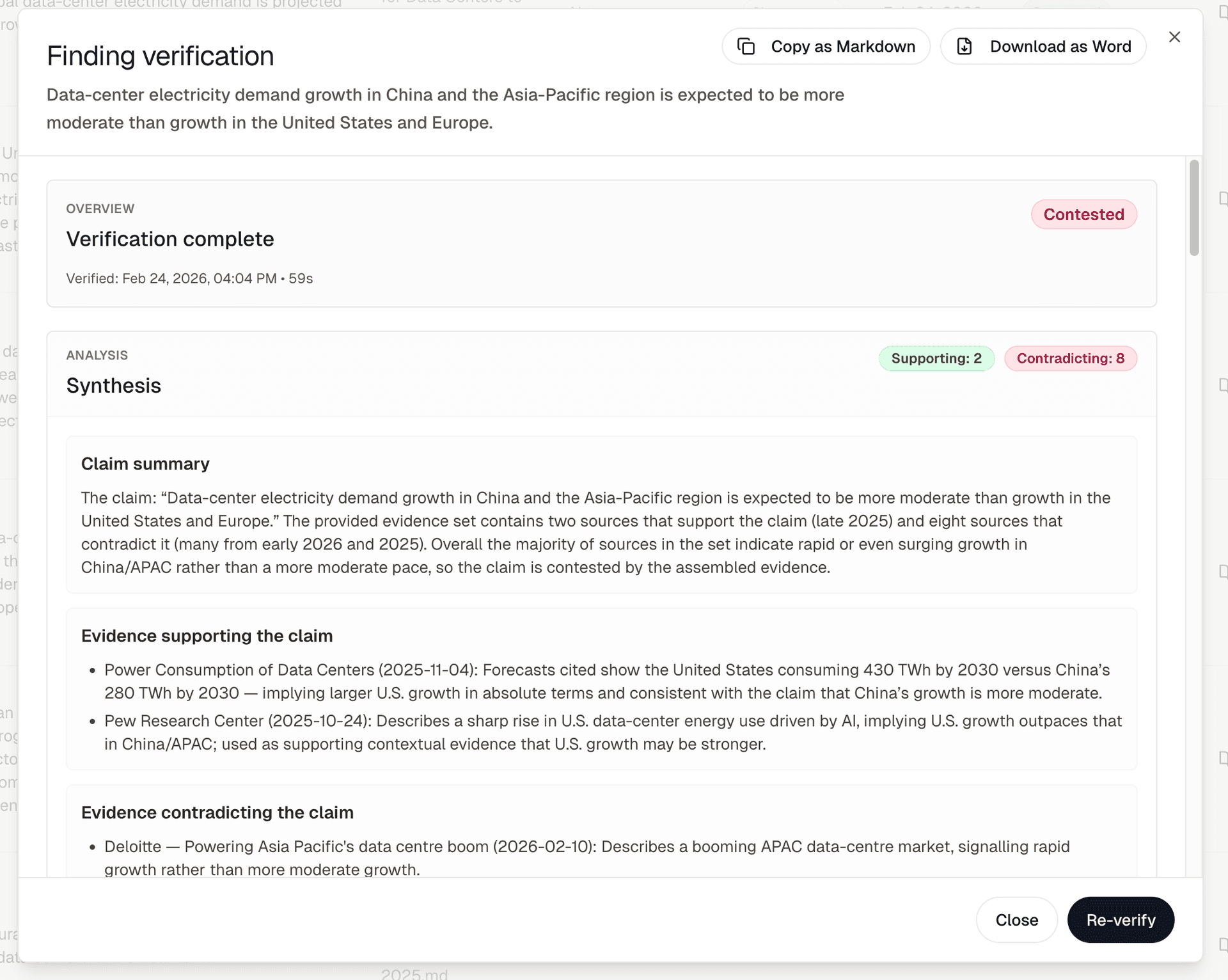
For each verified finding, you get a synthesis with a summary of the evidence and the conclusion...
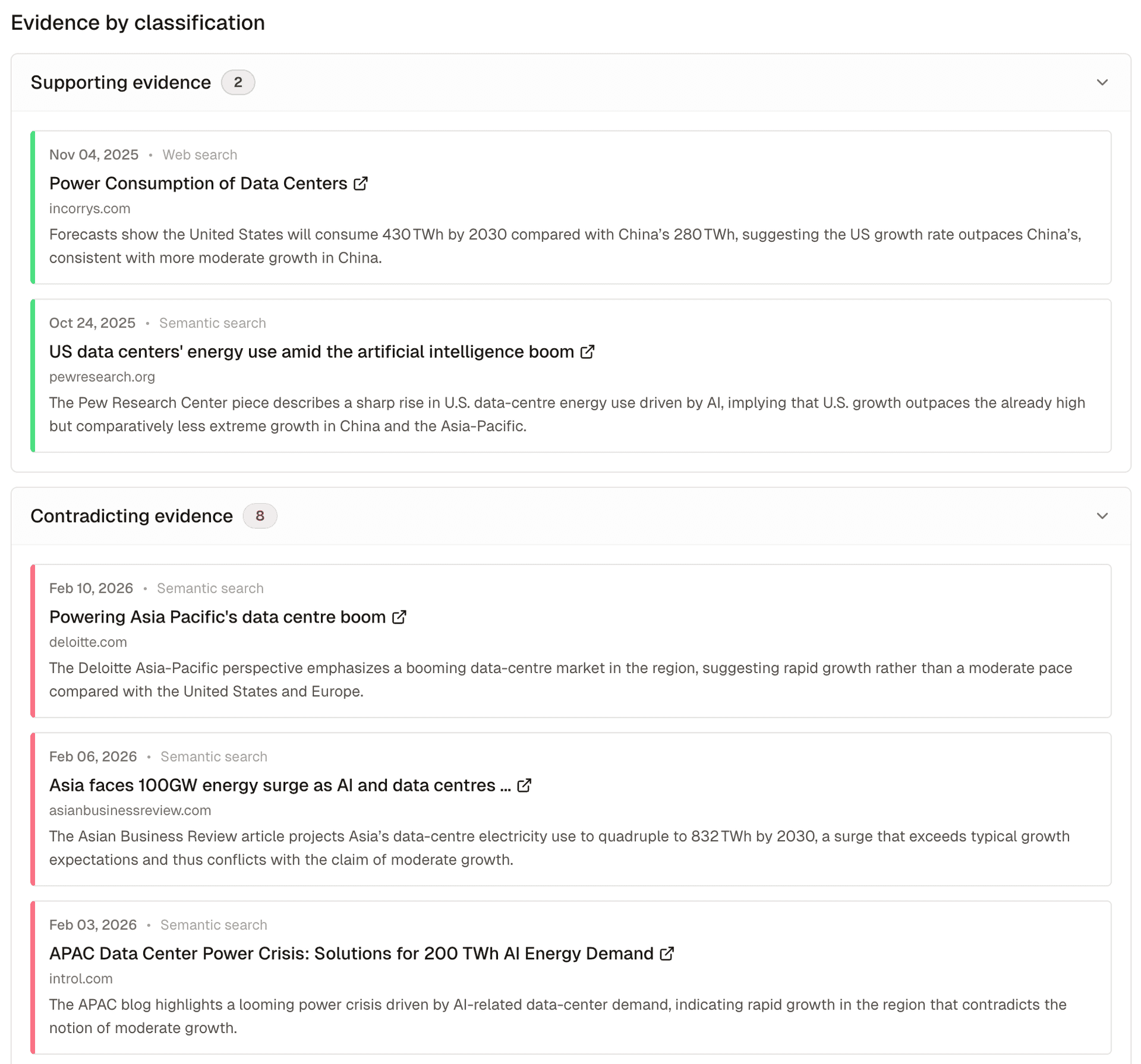
...the actual evidence, so you can double-check everything and zoom in on details...
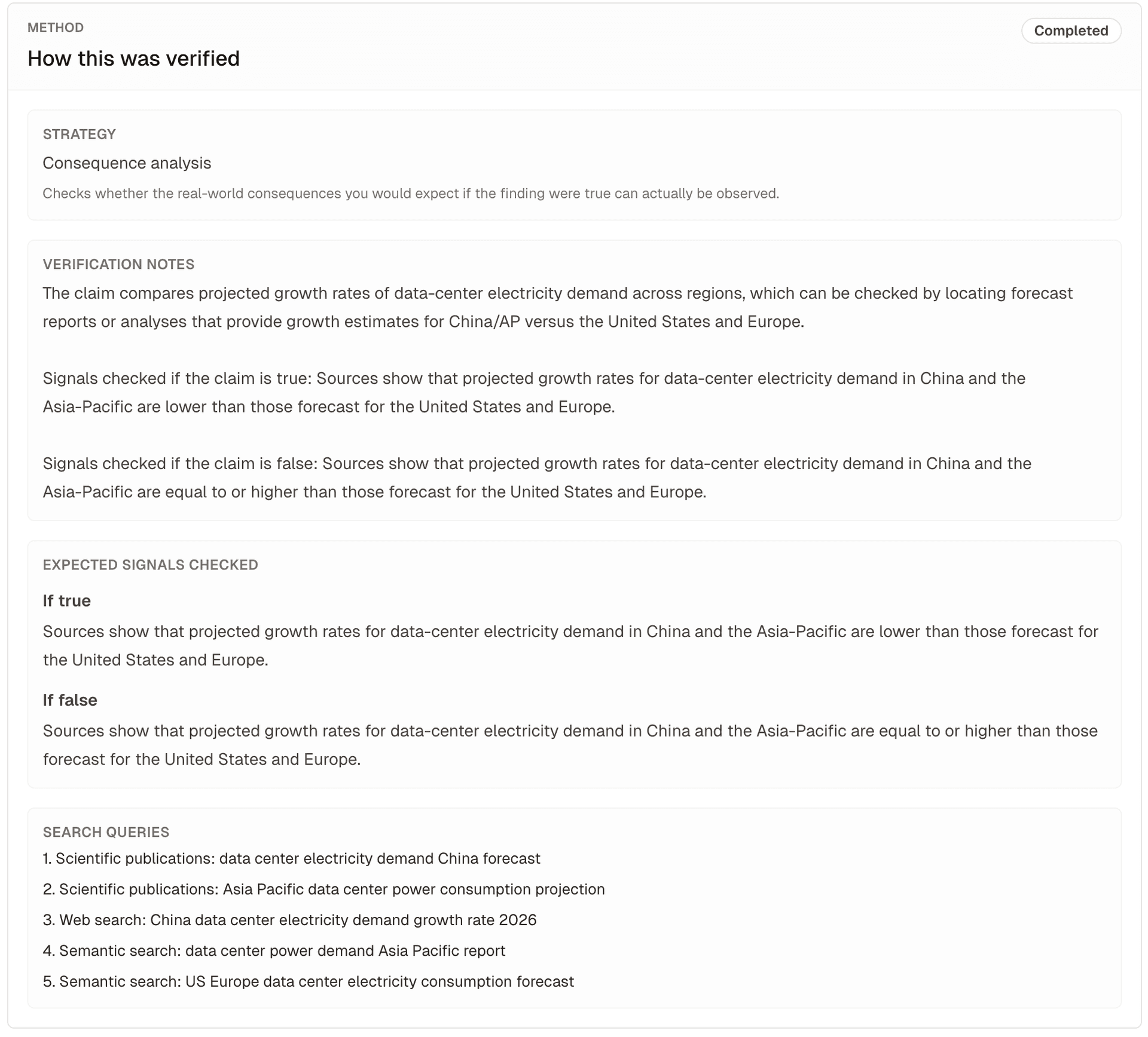
...and an explanation of how Spark approached the verification:
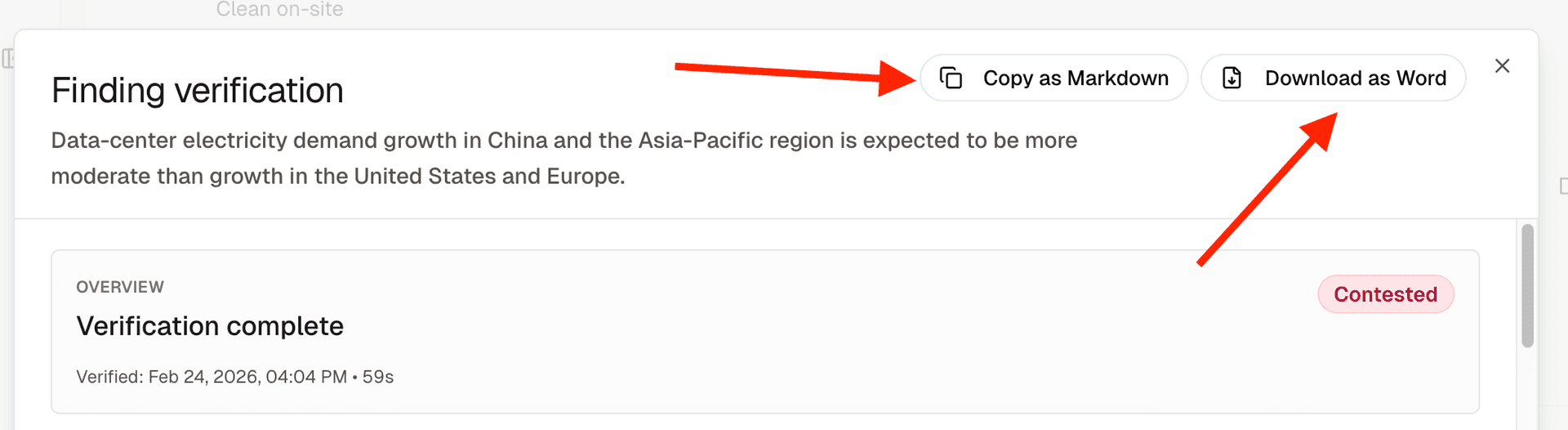
You can copy everything as Markdown or download the results as a Word file:
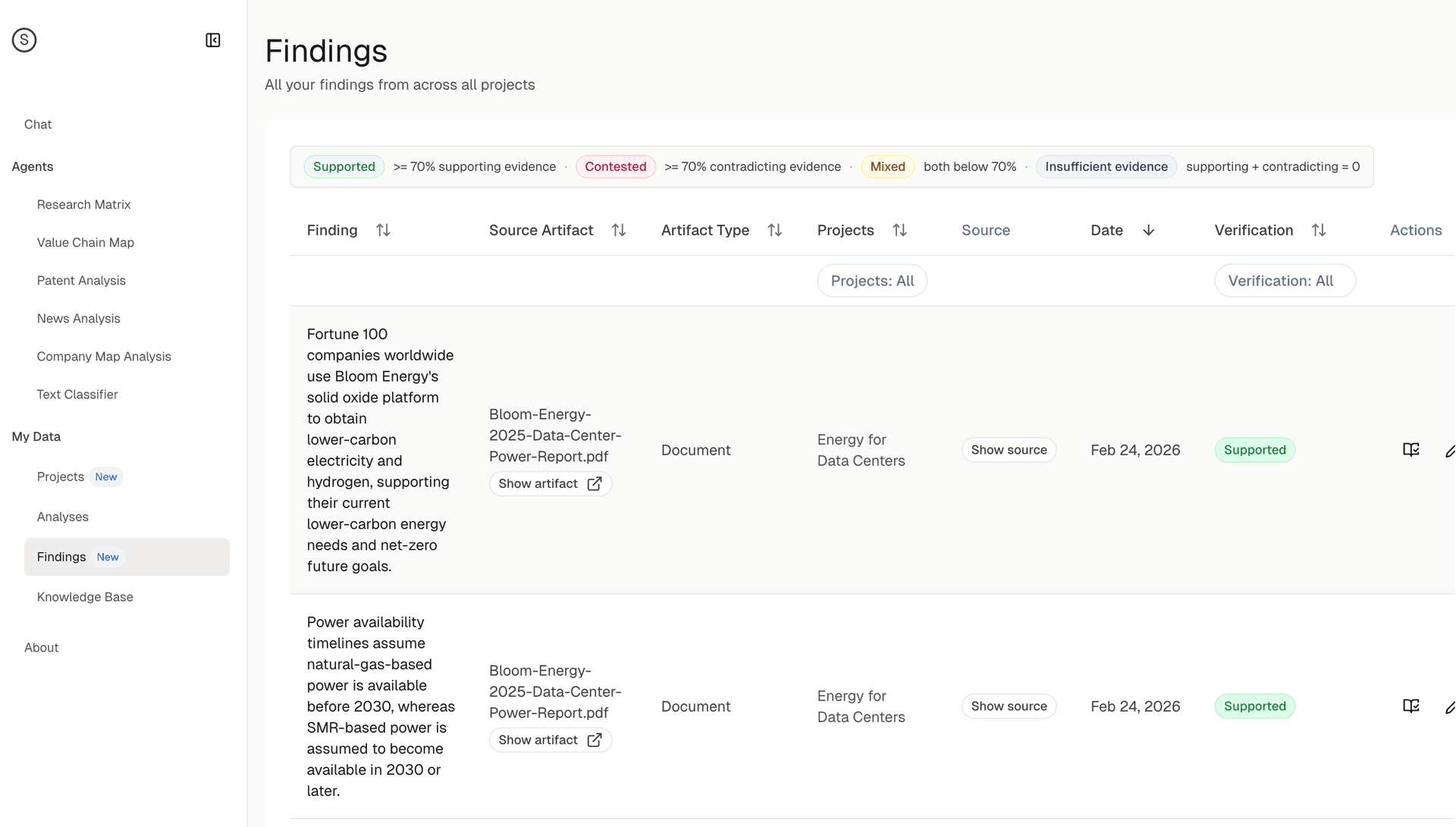
All findings from across your projects in one place
You can see all your findings from across all projects in the new Findings table under My Data:
Add a PDF, a note, or paste something you heard in a meeting, then let Spark extract and verify the claims.
Try findings extraction and verification →